

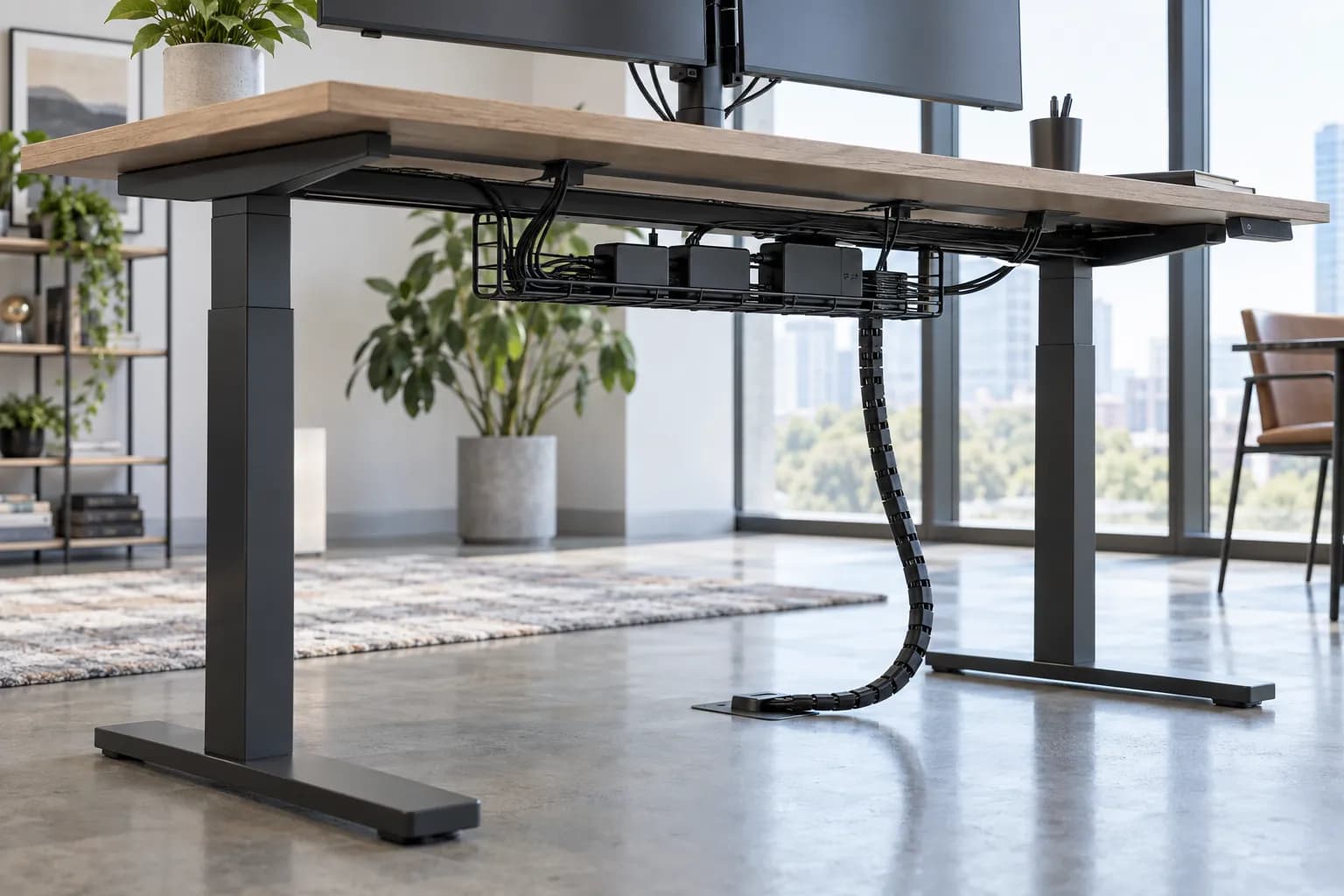
Quick answer
How should commercial projects plan standing-desk cable management?
Map the complete route before installation: building-side supply, desk power and controller, handset, desktop equipment, under-desk containment, vertical movement path and service access. Check the desk at its lowest and highest intended positions with the actual components. Record the selected tray, clips, riser or other components, cables, desk-group layout and handover responsibilities. No single tray or routing method fits every desk.
Commercial standing-desk cable-routing map
Use this map for the selected desk and project layout. It does not prescribe electrical capacity, local compliance or one accessory for every workstation.
- Building-side connection
- Power and data ownership
- Desk-group layout
- Controller and handset path
- Tray, clips and vertical route
- Travel slack and clearances
- Service access
- Installed configuration record
- Inspection and escalation route
| Route zone | Project question | Record before handover |
|---|---|---|
| Building to workstation | Where do power and data originate, and who owns the connection route? | Desk-group layout, source location, responsibility, access constraints and destination/project requirement |
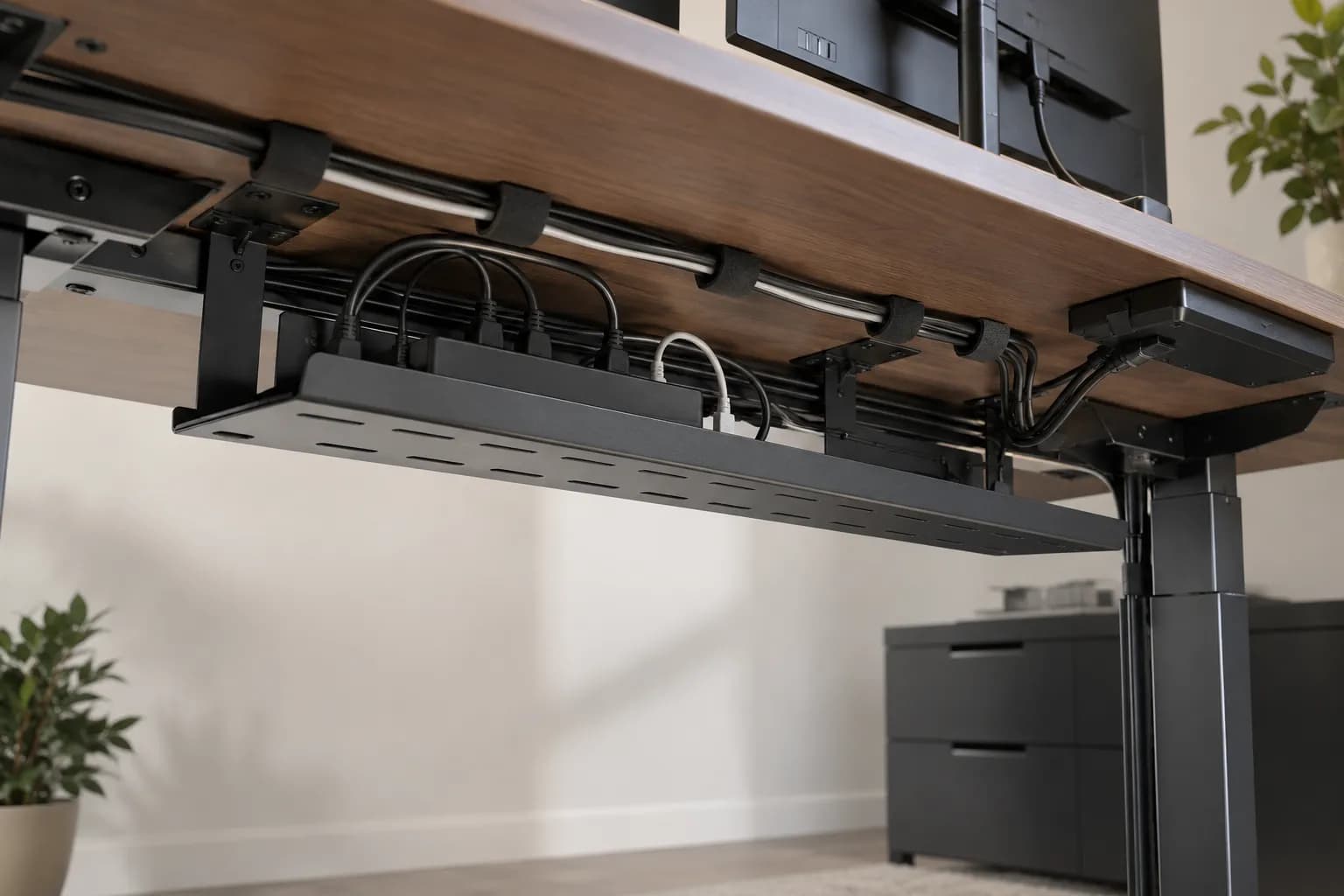
| Under the desktop | Where can the controller, adapters and connections sit without blocking the selected frame or service access? | Tray or containment component, attachment method, cable set, equipment and accessible connection points |
| Vertical movement | How does the desk travel from lowest to highest intended position without tension, snagging or contact? | Route, slack check at both positions, clearance, riser/guide where selected and observation record |
| Desktop equipment | How do monitor, handset, laptop and peripheral cables enter and leave the work surface? | Grommets or entry points, monitor-arm or device configuration, cable paths and connector access |
| Service access | Can facilities reach the relevant components without dismantling unrelated work? | Access sequence, replaceable parts, cable identification and who performs changes |
| Project handover | Can the installed configuration be identified later? | Desk SKU/version, top, controller, handset, cables, accessories, layout, documents and escalation route |
Route for travel first, then make it serviceable
A commercial standing desk changes height, so every attached cable needs a route that works while the desk moves—not only when it looks tidy at one height. Begin at the building-side connection and map power and data to the desk group, then through the selected desktop, controller, handset and equipment. The route should be reviewed at the lowest and highest intended positions with the selected configuration in place.
Separate horizontal containment from vertical travel. An under-desk tray, clips, grommets or other containment can organize components beneath the top, while a vertical riser or another selected route may guide cables that move with the desk. UPLIFT's installation material similarly cautions that a wall-connected cord must accommodate sit-stand height change. The project still needs to confirm the actual tray, attachment, cables and clearances for its own desk rather than treat that example as universal.
Keep the controller and handset visible in the routing map. Their cable paths, alongside monitor and desktop-device cables, can conflict with a crossbar, moving columns, drawers, CPU holders, trays or other underside attachments if installation is improvised. The better question is where each component sits, what moves, what must remain accessible and what is allowed to change after the desk is handed over.
For grouped workstations, specify ownership before hardware. Identify the building-side power/data route, workstation-side components, desk-group arrangement, installation party, service entry point and any project documentation. Steelcase's adjustable-desk systems illustrate that cable baskets, brackets and risers are configuration options, not documentation that another desk has the same route or capability.
This is not an electrical-compliance determination. OSHA's flexible-cord guidance warns against routes that damage insulation and emphasizes inspection for defects; it does not approve a particular standing-desk layout. Confirm the destination, actual equipment, applicable local requirements and qualified responsibilities separately. The cable-management handover should identify what was installed and how it can be inspected, maintained or changed.
A commercial route from desk group to cable handover
Use the selected desk, equipment and building layout to agree the route before installation, then confirm it through the desk's intended travel.
- 1. Map the workstation and desk groupIdentify the desk SKU, top, layout, building-side sources, power/data ownership and equipment to be connected at each workstation.
- 2. Identify the moving and fixed pathsSeparate cables that stay with the building or desk group from those that travel with the desktop, controller, handset and user equipment.
- 3. Select configuration-specific containmentConfirm trays, clips, grommets, risers or other components, attachment positions, clearances and instructions for the actual frame and top.
- 4. Check both travel positionsWith the selected equipment connected, inspect the lowest and highest intended desk positions for tension, snagging, pinch points, obstruction and accessible connectors.
- 5. Protect service accessRecord how facilities can reach the controller, power components, cables and connection points without dismantling unrelated equipment or obscuring the route.
- 6. Hand over the installed routeKeep the desk identity, cable map, accessories, documents, inspection points, change triggers and escalation contacts with the project record.

What to Check Before You Order
Commercial standing-desk cable-routing brief
- Selected desk SKU/version, tabletop, controller, handset and installed accessories
- Building-side power/data origin, desk-group layout and named route owner
- Desktop equipment, monitor-arm or device configuration and connector locations
- Under-desk tray, clips, grommets, riser or other selected containment components
- Fixed versus moving cable paths and the intended lowest/highest travel positions
- Clearances from the frame, moving elements, drawers, CPU holders and other underside attachments
- Service access sequence for controller, connections, adapters and replacement components
- Inspection at both intended travel positions with the selected equipment connected
- Installed cable map, product documents, maintenance/contact route and escalation owner
- Change triggers for equipment, desk group, cables, controller, route or building-side connection
Map the cable route before desk installation
Send the desk reference, tabletop, workstation/desk-group layout, equipment, destination, project access constraints and expected handover documents. MENBRO can discuss current configuration options for a project-specific routing brief.
See the MENBRO Showroom and Product Range
Watch a short introduction to MENBRO's office chairs, standing desks, lounge furniture and showroom. Ask our team for the current details of any model you are considering.
Frequently Asked Questions
What makes cable management different for a standing desk?
A standing desk moves, so the route needs to account for the desk's full travel as well as the power, controller, handset, desktop-equipment and building-side paths. Plan the complete route with the selected configuration; a fixed-desk tidy-up does not automatically transfer.
Should every standing desk use the same cable tray?
No. Tray type, position, attachment, capacity, clearances and service access depend on the selected desk, tabletop, equipment, cables, desk-group layout and installation method. Confirm the actual components and instructions before specifying them.
How much cable slack should a height-adjustable desk have?
Do not apply a generic length. Check the complete travel path at the desk's lowest and highest intended positions, with the selected equipment, routing components and building connection. The goal is to avoid tension, pinch points, snags and obstructed movement while retaining accessible service loops.
What should facilities teams receive at handover?
Record the desk SKU and version, tabletop, controller, handset, cables, power and data route, tray or riser components, building-side connection responsibility, desk-group layout, installed accessories, service-access method, inspection points and contact/escalation route.
Can cable management prove electrical compliance for a project?
No. Cable routing guidance is not an electrical-compliance conclusion. Confirm the destination, installed equipment, local requirements, applicable product documentation and qualified responsibilities for the actual project separately.
When should cable routing be checked again?
Check it after installation, when equipment or desk groups change, after a controller or cable version, and whenever the intended travel or service access changes. Keep the handover record aligned with the installed configuration.
References and Further Reading
These references support the product-selection and technical guidance in this article. Product availability and specifications can vary by model and project.
- OSHA flexible-cord safety guidance — Primary safety context on avoiding damage and strain on flexible cords; it is not a standing-desk routing approval or a local-compliance conclusion.
- UPLIFT cable-management setup guide — Manufacturer source used for its distinction between moving, horizontal and containment paths; this article adds commercial desk-group and handover planning.
- Steelcase high-capacity cable riser — Manufacturer example of a route designed to move with height-adjustable desk applications; component suitability remains product-specific.
- MENBRO standing-desk controller reset guide — Related guide for keeping the controller/system identity and service path tied to the installed configuration.