

Quick answer
How can buyers check that meeting chairs and a table work together?
Define the meeting modes and equipment, obtain the exact chair and table drawings, and place chairs in occupied, approach and exit positions on a measured room plan. Compare seat and arm positions with the table edge and base; review door routes, participant movement, screen sightlines and power/AV locations. Confirm the model-specific combination with a representative onsite trial. Capacity illustrations from another manufacturer or a generic per-person rule cannot approve MENBRO products or the project site.
From meeting requirement to paired configuration
Fill each row with selected-model drawings and actual site measurements. The decision is about coordinated use, not a universal table-size or headcount formula.
- Arms, seat and edge
- Base/leg and knee space
- Actual pulled-back chair position
- Arrival and exit
- Door swing and fixed services
- Assisted use and occupied circulation
- Screen and camera sightlines
- Power/data reach
- Cable and floor-box conflicts
| Project question | Chair documentation | Table/site documentation | Decision and trial |
|---|---|---|---|
| Meeting mode | Posture and actual occupied positions | Display, discussion and equipment layout | Try the representative mode with people/equipment |
| Edge and arms | Seat and arm positions from selected model | Edge, apron, top height and shape | Observe approach, occupied use and exit |
| Legroom | Base, casters and foot position | Leg/column/cabinet position | Check the actual pair; revise blocked positions |
| Room movement | Pulled-back footprint and mobility | Doors, walls, fixed furniture and path | Site team confirms applicable local route rules |
| Screen/AV | Seated eye direction and chair rotation | Display/camera/equipment locations | Trial representative sightlines and interactions |
| Power/data | User equipment and chair movement | Confirmed supported table route and floor service | Qualified team checks selected electrical system |
| Assisted use | Selected chair or alternative and approach | Access route and relevant local requirements | Responsible team reviews actual use, not assumed compliance |
| Version control | Chair model/base/finish version | Table/top/base/AV plan versions | Freeze paired drawing and open issues in RFQ |
Plan the occupied room, not a product photograph
Conference room seating and table planning begins with what a meeting must accomplish. A formal board discussion, short stand-up, training session and hybrid video call may use the same room differently. Record who attends, what devices they bring, which participants need to see a screen and whether chairs move between modes. This is a use brief, not a claim that every table offers a given electrical or AV feature. It lets the buyer ask for a coherent pair rather than accepting attractive but unrelated catalog images.
Work from the actual table and chair versions. An overall table rectangle omits leg positions, apron depth, cabinet base, equipment cutouts and access to the edge. A chair's nominal width omits armrests, base sweep and the space it uses when pulled back. The real room adds door swings, wall equipment, circulation and other people. Bring those layers into one plan and mark which measurements come from a first-party model sheet, which are site measurements and which are still provisional.
Make the furniture relationship visible
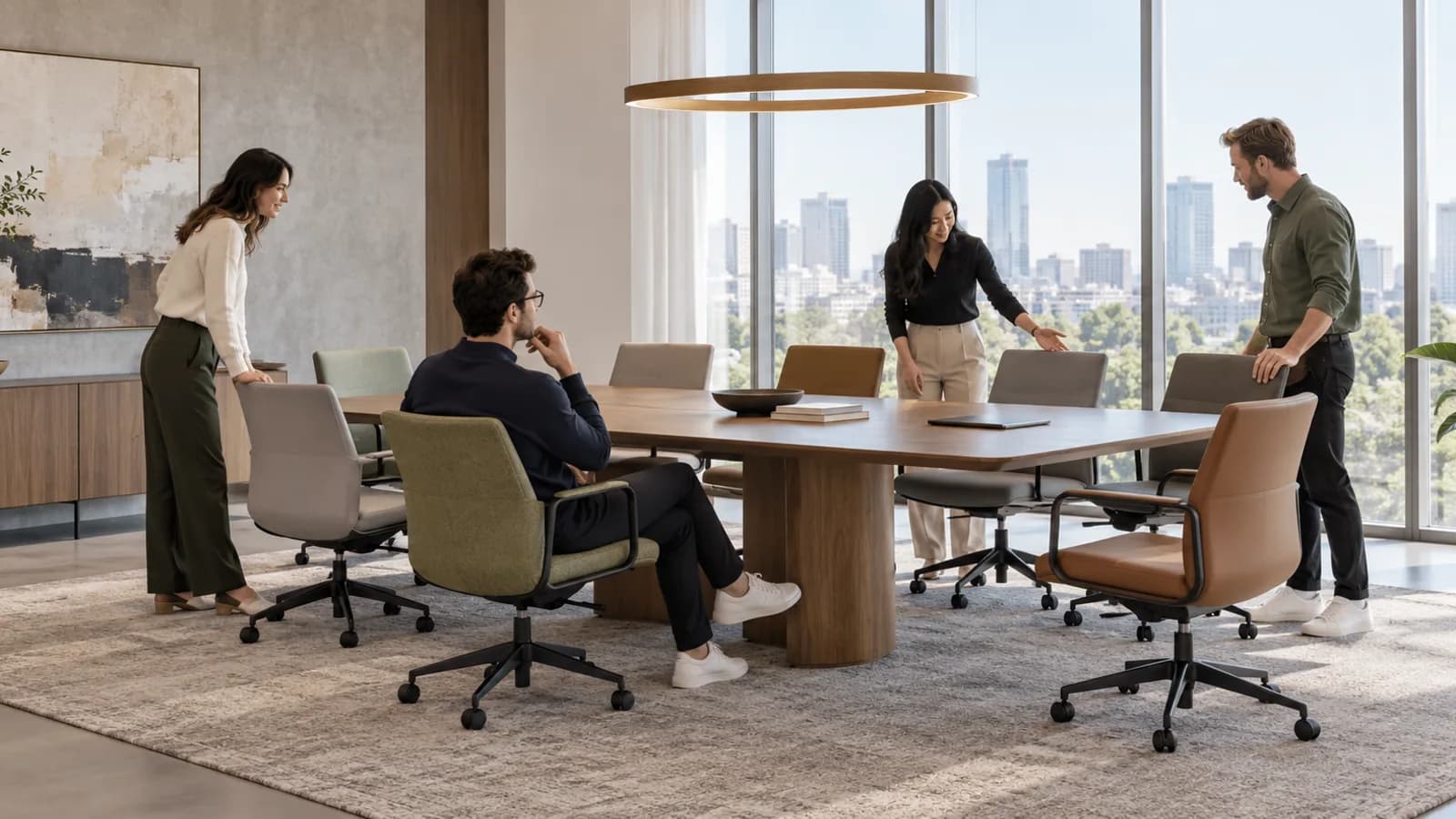
Place each proposed chair in at least its tucked, occupied and entry/exit positions. Use the actual chair's overall width, arm height, seat location, base footprint and movement shown by its manufacturer or a representative sample. Then compare with the selected table's top edge, underside, legs, columns and feet. A base located where a person expects foot space can remove a nominal place even if the table perimeter appears long enough. A chair that fits when tucked away may prevent someone else passing when pulled back.
Do not import another maker's recommended seats-per-length number. Herman Miller's Headway guide itself ties seating illustrations to its chair-width and base assumptions. That is useful documentation that such assumptions matter, not a MENBRO capacity rule. Ask the selected supplier for exact drawings and have the project team mark usable places for the real chair/table pair. If there are variants, record which chair base, arm and table support version the drawing represents.
Connect occupied positions to doors and people
Draw the entry route from the room door to each usable chair, the space a person needs to rise, and a path for those who may leave during a meeting. Add door leaves, credenzas, wall displays, floor boxes and other fixed elements. Check the plan with chairs actually occupied or pulled back. A chair can obstruct a path even when no furniture footprint crosses a line on the empty-room plan. Record luggage or moving assistance where the project brief calls for it.
The responsible design and site teams must determine applicable accessibility, fire, egress and building requirements for the actual location. This article supplies no global minimum aisle, wheelchair turning dimension or legal compliance conclusion. A representative trial should include the intended assisted-use scenario where relevant, led by the qualified project team. Any inaccessible or uncertain position stays unresolved until that team confirms the actual arrangement.
Test screens, cameras and equipment from the seats
A hybrid meeting may place attention on a display and camera as well as on people around the table. Mark which seats need a clear view of shared content and which positions face the camera. Use representative equipment and try the most demanding viewing position rather than trusting a perspective rendering. Chair rotation, table shape and display placement all affect the experience. Steelcase's hybrid-space examples show that meeting purpose and technology influence layout, but no illustrated feature or room result transfers to MENBRO.
List each device, its location and the confirmed table interface it requires. A cable path may pass through a supported table accessory, a floor box or another agreed building route; none is universal. Check that chair feet and wheels do not collide with the proposed floor service and that cords remain addressed through the occupied positions. Qualified personnel must assess any electrical work under the selected model instructions and site rules. Do not claim that every MENBRO meeting table contains power, memory, one-touch controls or integrated AV.
Choose a representative paired sample
A sample chair beside a sample top can answer a meaningful fit question when the table base and chair base also match the intended order. Request the model/version, material, support geometry, selected chair arms/base, and any AV/power components in coverage. Place the pair in a representative site position or a measured full-size mockup and record what the trial covers. A drawing-only review may be enough for some decisions, but it cannot prove the physical feel of an unrepresented interface.
Note what the trial did not cover: another chair arm option, different table support, larger top, alternative display, changed flooring or future power route. A photograph of a similar room is inspiration, not documentation of a deliverable complete configuration. If a change affects the fit, update the paired drawing and recheck the affected positions. Keep structural or electrical tests with qualified people using the agreed method and model documentation.
Ask for one coordinated RFQ response
The RFQ should identify room dimensions and measurement source, meeting modes, intended participants, chair/table models and versions, floor plan, screen and equipment positions, target market and site constraints. Request a paired drawing showing actual occupied chair locations, table support geometry and AV/power assumptions. Ask the supplier to mark what can be confirmed, what is an alternative and what remains TBC. A buyer's requested configuration is not documentation that the manufacturer offers that exact combination.
Have the responsible project team review the drawing and sample before final order. Record a version for the chair, table, equipment plan and room survey. If a different chair base, arm, table leg or screen position is substituted, the previous seating count and access decision may no longer hold. Resolve that change explicitly rather than copying a capacity number from the prior drawing. This pairing guide complements the separate guide on specifying a complete height-adjustable conference table; it does not duplicate that product-selection decision.

Verify the pair from plan to room
This flow keeps project use, exact model documentation and representative trial together before the RFQ is frozen.
- 1. Define usesList meeting modes, participants, video and equipment needs; identify assisted-use questions for the project team.
- 2. Collect sourcesObtain the exact chair and table drawings, base/support details and measured room/fixed-service plan.
- 3. Place real positionsShow each chair tucked, occupied and pulled back; mark door, routes, screen and floor services.
- 4. Resolve conflictsReview arms, legs, bases, AV, power and local access requirements with the responsible specialists.
- 5. Trial the pairUse representative chair/table versions and equipment to inspect the limiting positions and note exclusions.
- 6. Freeze the responseRecord the paired drawing/version, confirmed usable places, open issues and required recheck if a component changes.
What to Check Before You Order
Send a coordinated chair-and-table RFQ
- Identify meeting types, expected participants and the equipment each mode uses.
- Attach a measured room plan with doors, fixed services, display and floor outlets.
- Name the proposed chair model, arms, base and version or mark the choice TBC.
- Name the proposed table top, support/base and version without assuming integrated functions.
- Request first-party dimensions and drawings for the selected configurations.
- Show tucked, occupied and pulled-back chair positions and arrival/exit routes.
- Review seated sightlines and camera positions using representative equipment.
- Ask qualified parties to confirm actual AV, power and electrical interfaces.
- Assign site teams to applicable accessibility, fire and building questions.
- Request a representative paired sample or full-size layout review with exclusions.
- Record confirmed usable places for this pair, not a general capacity formula.
- Version the paired drawing, open questions, supplier response and change triggers.
Review the exact room pairing
Send the selected chair and table references, measured room plan and equipment brief. Ask for a written model-specific configuration response and representative review coverage.
See the MENBRO Showroom and Product Range
Watch a short introduction to MENBRO's office chairs, standing desks, lounge furniture and showroom. Ask our team for the current details of any model you are considering.
Frequently Asked Questions
How do you pair conference room chairs and a table?
Start with meeting purpose, participants and equipment. Obtain the exact table and chair model drawings, then place each chair in its real occupied, entry and exit positions on the measured room plan. Check armrests, bases, columns, legroom, door routes, screen sightlines and power or AV access. Review a representative combination before confirming the order.
Can a listed seating capacity guarantee usable places?
No. A manufacturer's capacity illustration applies to its stated product and assumptions. Real chair width and movement, table legs or cabinet bases, equipment, accessible use and site routes can change actual usability. The project team should verify the chosen chair-table combination onsite; this guide supplies no universal seats-per-length formula.
What chair dimensions matter beside a meeting table?
Request model-specific overall width and depth, armrest and seat positions, base or caster footprint, and the occupied and pulled-back position relevant to the room. Compare these with the selected table edge, apron, leg and base geometry using the maker's drawing and a representative chair. Do not substitute another supplier's chair measurements.
Do all conference tables include power, AV or cable management?
No. Ask for the actual chosen table version and supported accessories, the equipment plan, outlet or floor-box location and the full cable route. Have qualified personnel review electrical work and applicable site requirements. A product photo or another manufacturer's feature does not establish MENBRO capability.
How should video meetings affect seating layout?
Identify the primary display and camera positions, how remote participants join, who needs sightlines to content and whether chairs must move for discussion. Try the selected table and chair positions with representative equipment. A general room rendering cannot confirm screen visibility or acoustic and electrical suitability for the actual space.
Which accessibility and circulation values should be used?
The responsible project team must identify the applicable local building, fire and accessibility requirements and measure the real site. Record doors, fixed services, movement assistance, arrival and exit paths, and furniture in occupied positions. This article does not provide a universal minimum aisle or certify compliance in any jurisdiction.
What should a conference seating and table RFQ include?
Send room dimensions and measured constraints, meeting modes, proposed chair and table model/version references, intended participants and equipment, screen and power locations, requested documents, target market and sample purpose. Ask for a coordinated drawing and written confirmation of the chosen combination, exclusions and unresolved interface questions before ordering.
References and Further Reading
These references support the product-selection and technical guidance in this article. Product availability and specifications can vary by model and project.
- Herman Miller Headway Tables Planning Guide — First-party, 2019-11-27; illustrates model-specific capacity assumptions, not a MENBRO rule.
- Haworth Workspace and Conference Resources — First-party table, seating and power planning context; no Haworth feature transfers to MENBRO.
- Steelcase Hybrid Collaboration Spaces — First-party meeting-purpose and video-layout examples; this article uses an original buyer decision matrix.
- Haworth Power Design Guide — First-party conference power context only; selected-product and site specialists confirm actual systems.